Notice
Recent Posts
Recent Comments
| 일 | 월 | 화 | 수 | 목 | 금 | 토 |
|---|---|---|---|---|---|---|
| 1 | 2 | 3 | 4 | 5 | 6 | 7 |
| 8 | 9 | 10 | 11 | 12 | 13 | 14 |
| 15 | 16 | 17 | 18 | 19 | 20 | 21 |
| 22 | 23 | 24 | 25 | 26 | 27 | 28 |
Tags
- Docker
- otter
- imageinfo
- Volatility
- diva
- InsecureBank
- CTF-d
- ctf
- Suninatas
- dreamhack
- XSS
- ESXi
- foremost
- SQL Injection
- base64
- igoat
- kibana
- Strings
- lord of sql injection
- FTK Imager
- frida
- vulnhub
- 안드로이드
- 인시큐어뱅크
- Openstack
- binwalk
- 2018
- beebox
- filescan
- elasticsearch
Archives
- Today
- Total
Information Security
OWASP API top 10 crAPI 설치 본문
Docker(컨테이너 엔진)랑 Docker Compose(컨테이너 묶음 관리 도구)를 설치하겠습니다.
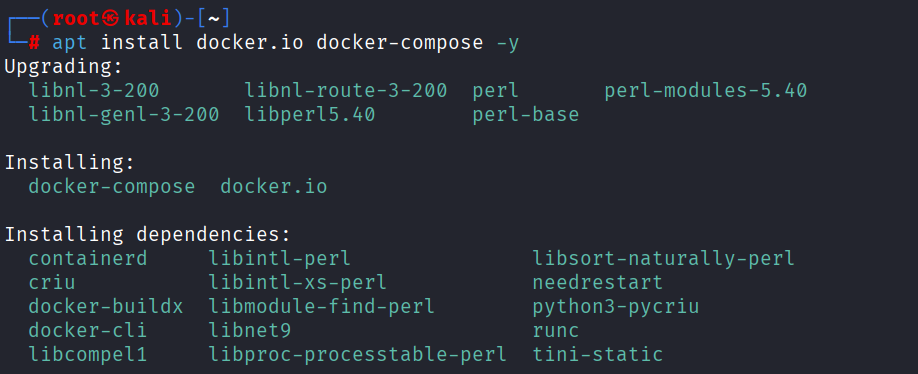
Docker 컨테이너가 설치 완료하면 아래와 같이 Docker compose 버전을 보여줍니다.

https://github.com/OWASP/crAPI
GitHub - OWASP/crAPI: completely ridiculous API (crAPI)
completely ridiculous API (crAPI). Contribute to OWASP/crAPI development by creating an account on GitHub.
github.com
OWASP API를 실습할 수 있는 crAPI를 다운로드합니다.
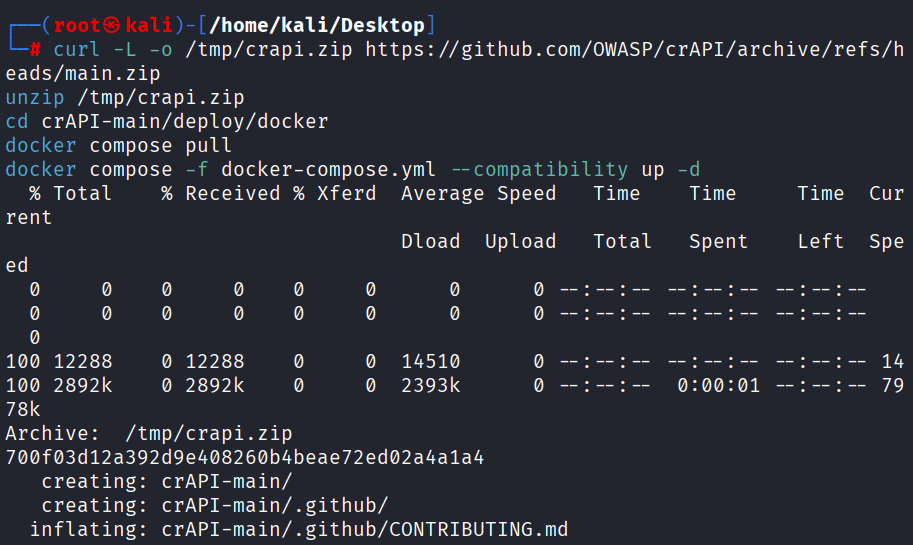
아래와 같이 설치를 진행합니다.

LISTEN_IP라는 환경변수를 설정하여 모든 네트워크에 접속 할 수 있도록 백그라운드로 실행합니다.
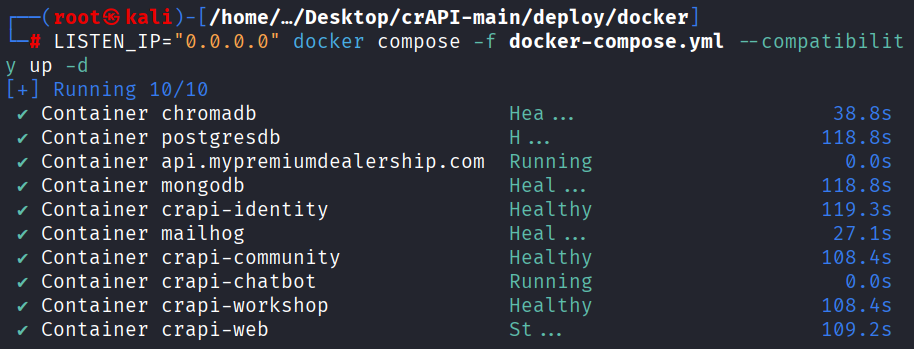
http://localhost:8888 접속함녀 OWASP API를 테스트할 수 있는 페이지를 확인할 수 있습니다.

